PinFlux Alternatives for Pinterest: 6 Safer Growth Tools in 2026

PinFlux has been a controversial "secret weapon" for Pinterest marketers, offering aggressive automation features like auto-follow/unfollow and bulk repinning. For a one-time fee, it promises substantial growth on autopilot.
However, the Pinterest landscape has fundamentally changed by 2026. Tactics like mass following are now faster routes to account bans than sustainable growth. Additionally, PinFlux is desktop-based software, meaning it only runs when your computer is on or requires a VPS to stay active.
If you need a safer, cloud-based solution that helps create high-quality original content rather than just repinning others' work, here are six powerful PinFlux alternatives for Pinterest growth.
1. Design Instantly
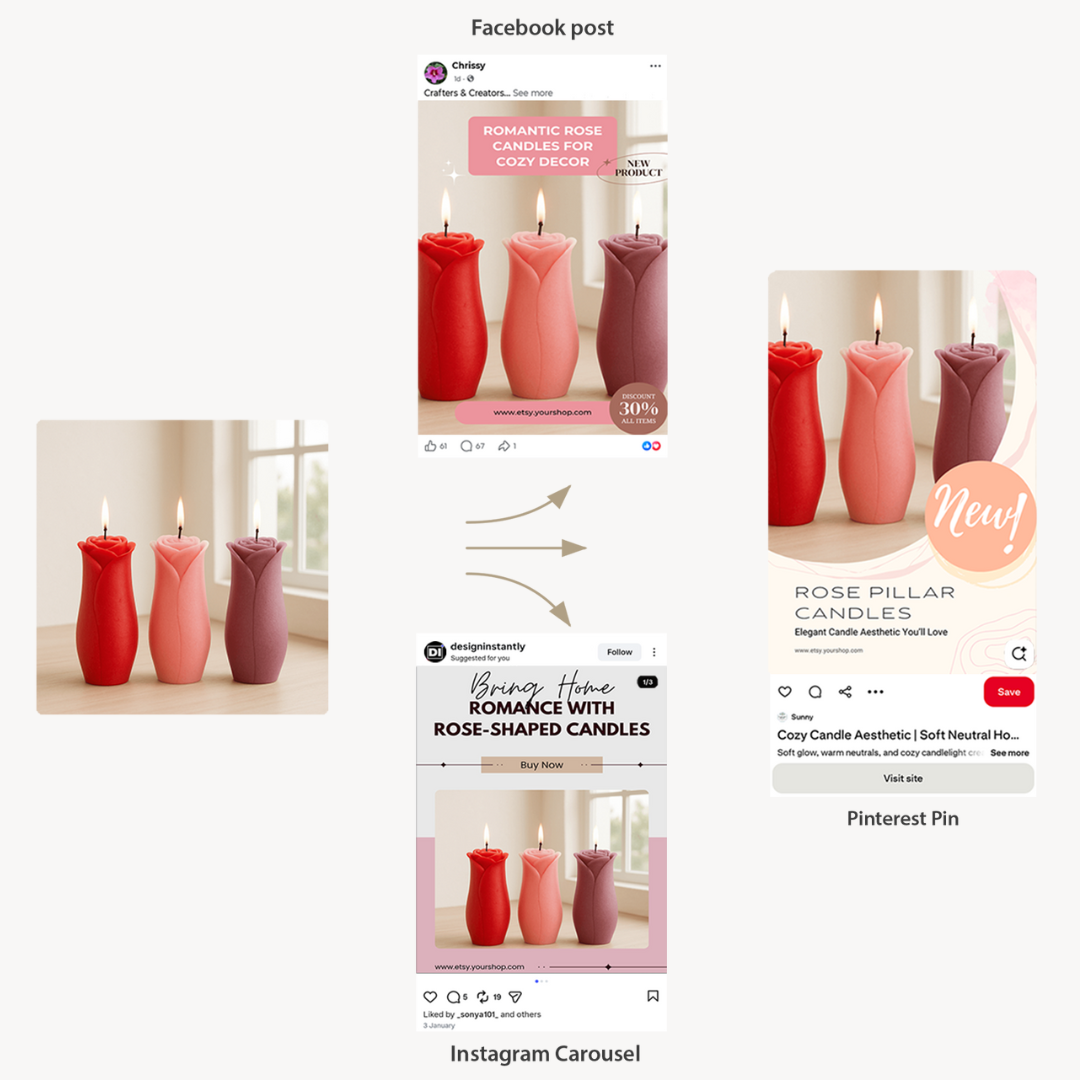
PinFlux excels at repinning existing content, but Pinterest's 2026 algorithm heavily favors fresh, original pins. Design Instantly helps you create them systematically.
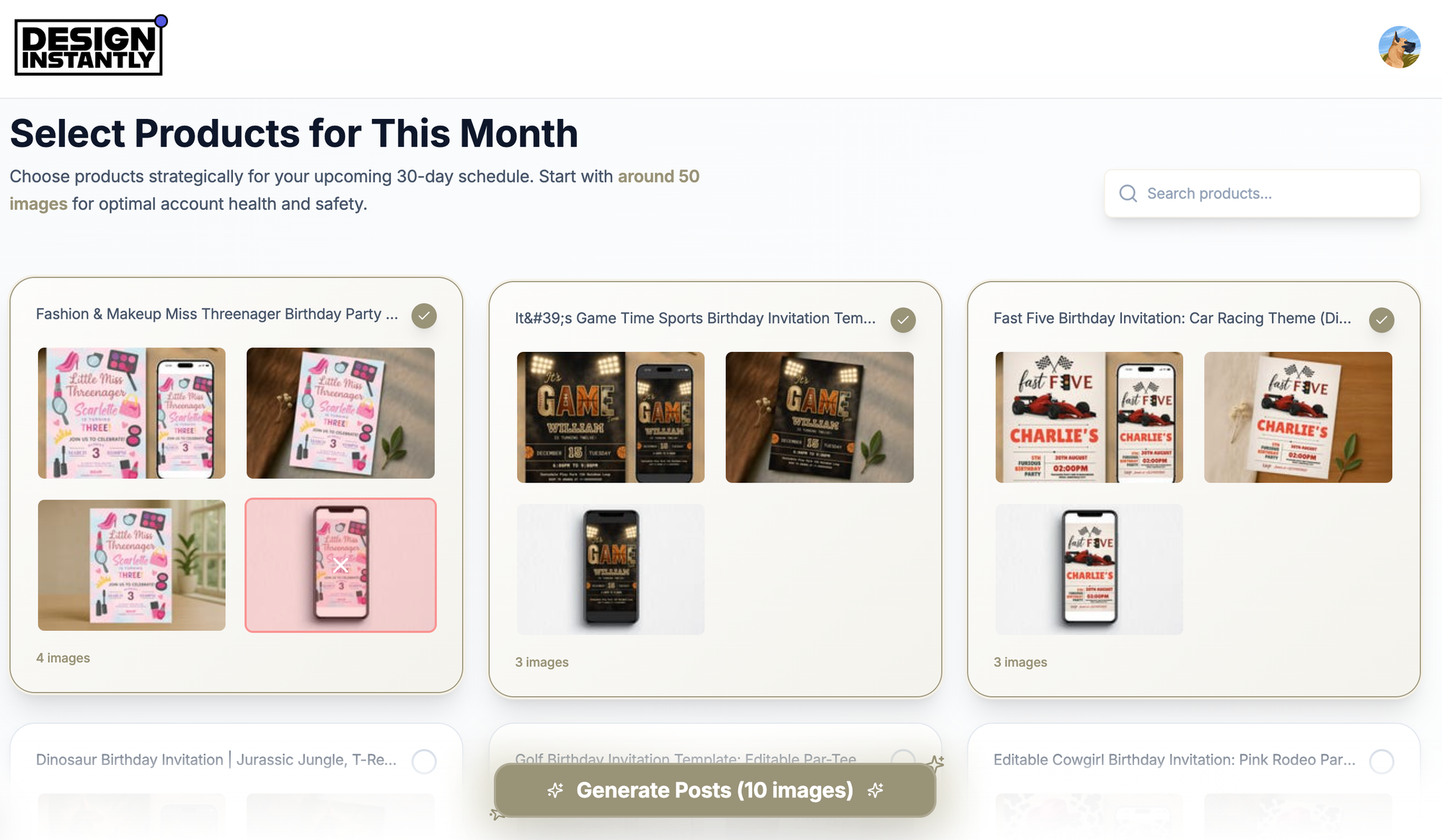
Instead of searching for other people's content to populate your boards, Design Instantly connects to your store and generates a month of fresh, conversion-focused pins from your inventory. It addresses the biggest gap PinFlux ignores: content creation.
Why It's Superior
Original Over Repinned: PinFlux relies on repinning others (driving traffic to them). Design Instantly creates new pins that drive traffic to your store.
Automated Design: Transforms product photos into vertical, optimized pins with "Shop Now" buttons and price overlays automatically.
Cloud-Based: Unlike PinFlux's desktop dependency, Design Instantly is 100% cloud-based. Schedule a month of content and close your laptop.
Sales Focus: Adds conversion elements like "Low Stock" or "Sale" badges to pins, making them function like advertisements.
Pinterest Intelligence: Automatically selects the relevant board for each product pin to maximize visibility.
The Trade-Off
No "growth hacks" like auto-follow or auto-unfollow features, as these are risky tactics that can trigger account flags.
Pricing
- Free: Generous free version with no credit card required
- Paid: Starts at $20/month
Best for: Ecommerce sellers wanting to drive traffic with their own products rather than by repinning others' content.
2. Tailwind
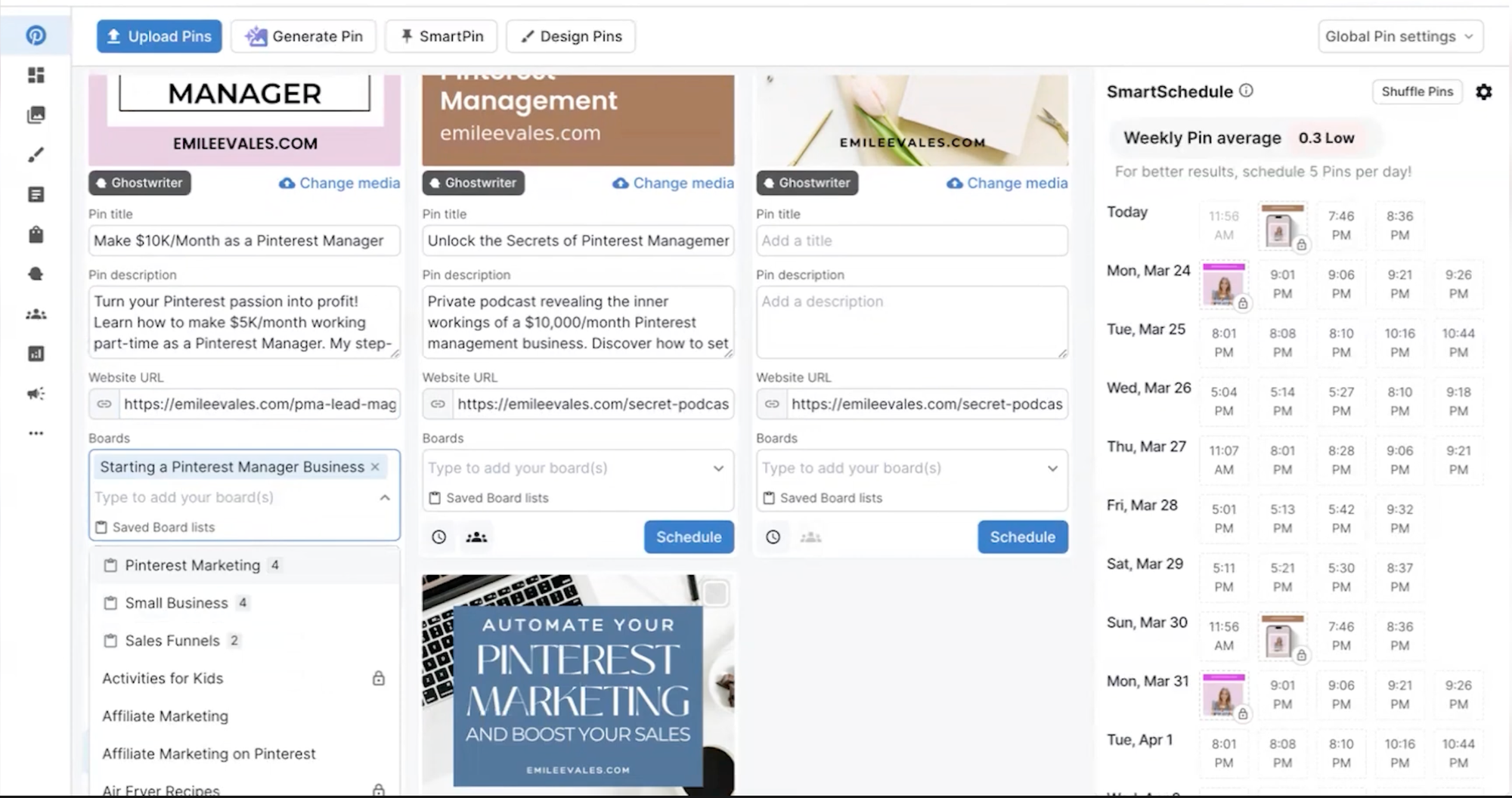
Tailwind is a good alternative. While PinFlux operates in Pinterest's grey area, Tailwind is a recognized Pinterest Partner. If account safety concerns you, this is the most secure switch possible.
The platform is renowned for SmartSchedule, which identifies exactly when your audience is most active, and Communities (formerly Tribes) that enable safe, reciprocal sharing.
Why It's Superior
Account Safety: As an official partner, using Tailwind will never result in bans.
Tailwind Communities: Safe way to get repins from real creators in your niche (a white-hat alternative to PinFlux's repin automation).
SmartLoop: Legitimate way to recycle your best evergreen pins without spamming.
Create Tool: Includes basic design capabilities to build pins, though less automated than Design Instantly.
The Trade-Off
Can be expensive with multiple accounts, as they charge per profile.
Pricing
- Pro: Approximately $14.99/month (varies by annual/monthly)
- Advanced: Approximately $29.99/month
Best for: Marketers wanting the safest, most legitimate Pinterest growth method.
3. Pinterest Native Scheduler
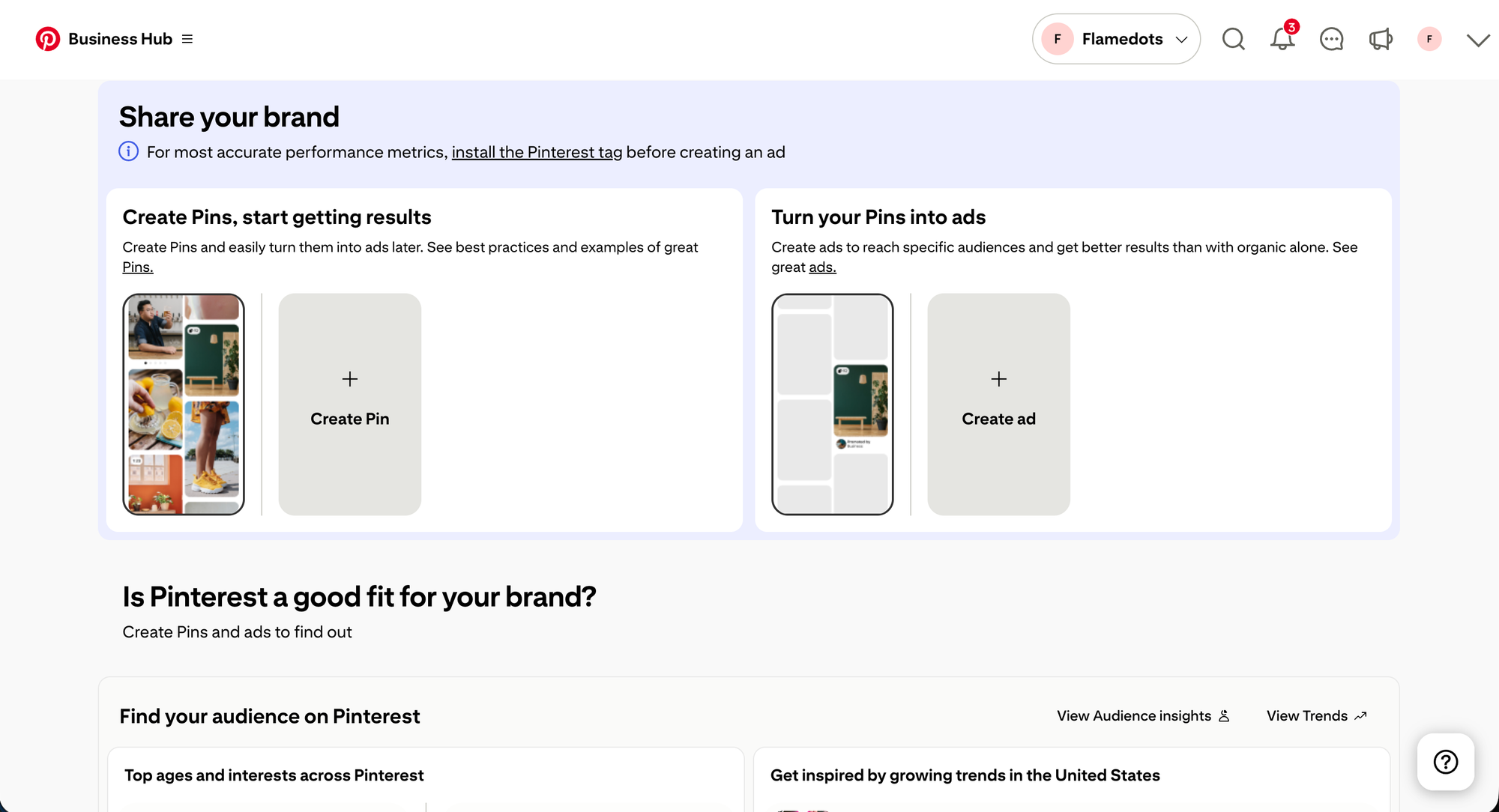
If you used PinFlux primarily for free scheduling, the Pinterest Native Scheduler is now an excellent option. Pinterest has built robust scheduling functionality directly into the platform.
It allows scheduling up to two weeks in advance without paying for third-party software.
Why It's Superior
Free Forever: Costs nothing with no premium tiers.
Native Analytics: Most accurate data because it comes directly from the source.
Idea Pins: Often the only way to schedule Idea Pins (Pinterest's version of Stories) with full features.
The Trade-Off
No bulk tools. You schedule one pin at a time with no "Upload CSV" or "Generate Month" functionality.
Pricing
- Free: $0/month
Best for: New sellers with zero budget wanting to keep things simple.
4. Later
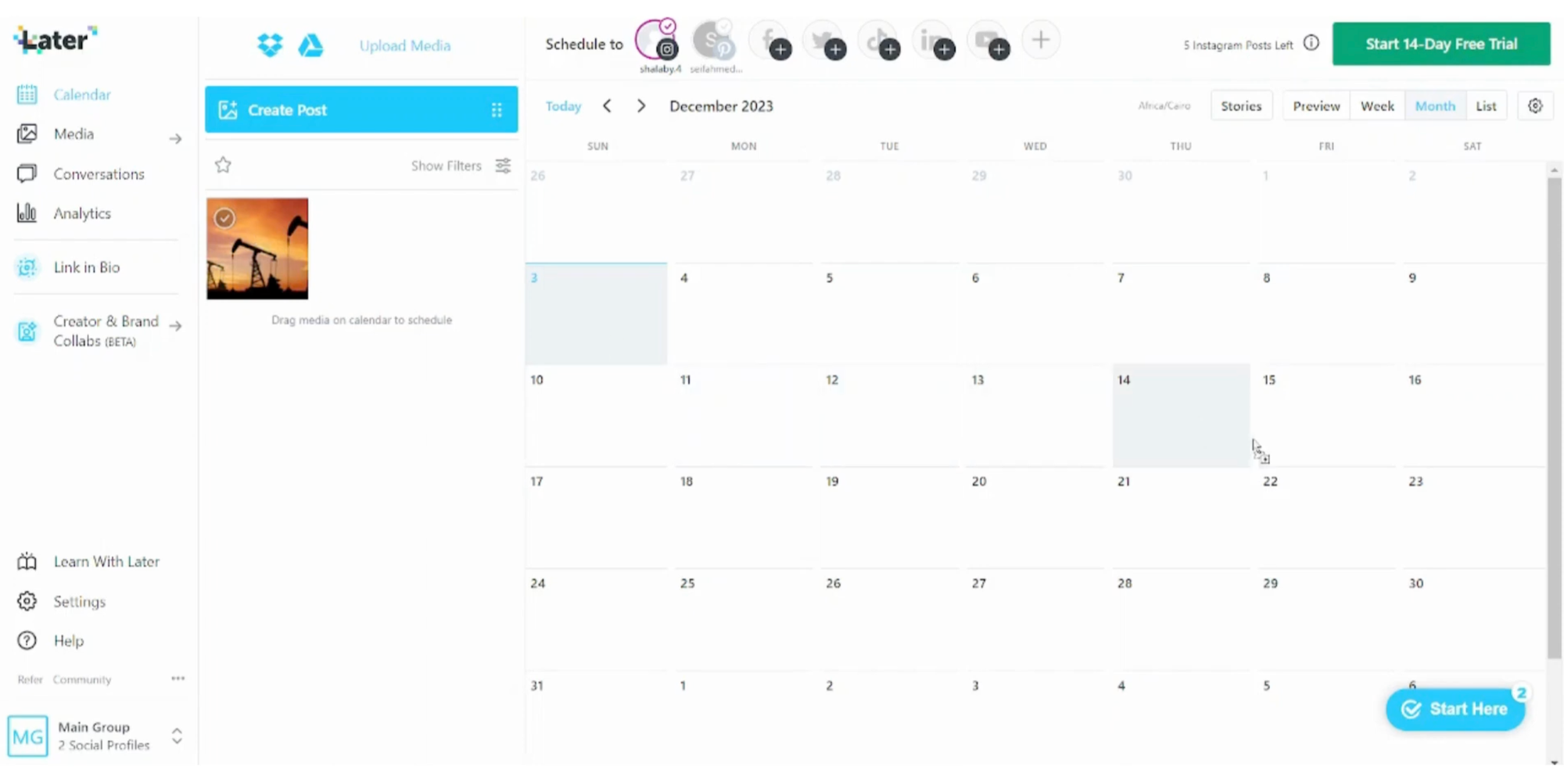
PinFlux has an outdated, Windows-95 style interface. Later is the modern, aesthetic upgrade designed for visual planning, making Pinterest board management feel like curating a magazine.
If you want a beautiful tool that works on mobile devices (unlike PinFlux), Later is the choice.
Why It's Superior
Mobile App: Manage your Pinterest schedule from your phone, impossible with PinFlux.
Visual Planner: Drag-and-drop calendar letting you see your schedule at a glance.
Multi-Platform: Handles Instagram, TikTok, and LinkedIn as well, eliminating the need for separate tools.
The Trade-Off
Free and starter plans have strict limits on how many pins you can schedule monthly.
Pricing
- Starter: Approximately $25/month
Best for: Visual marketers wanting a modern, mobile-friendly tool.
5. Planoly
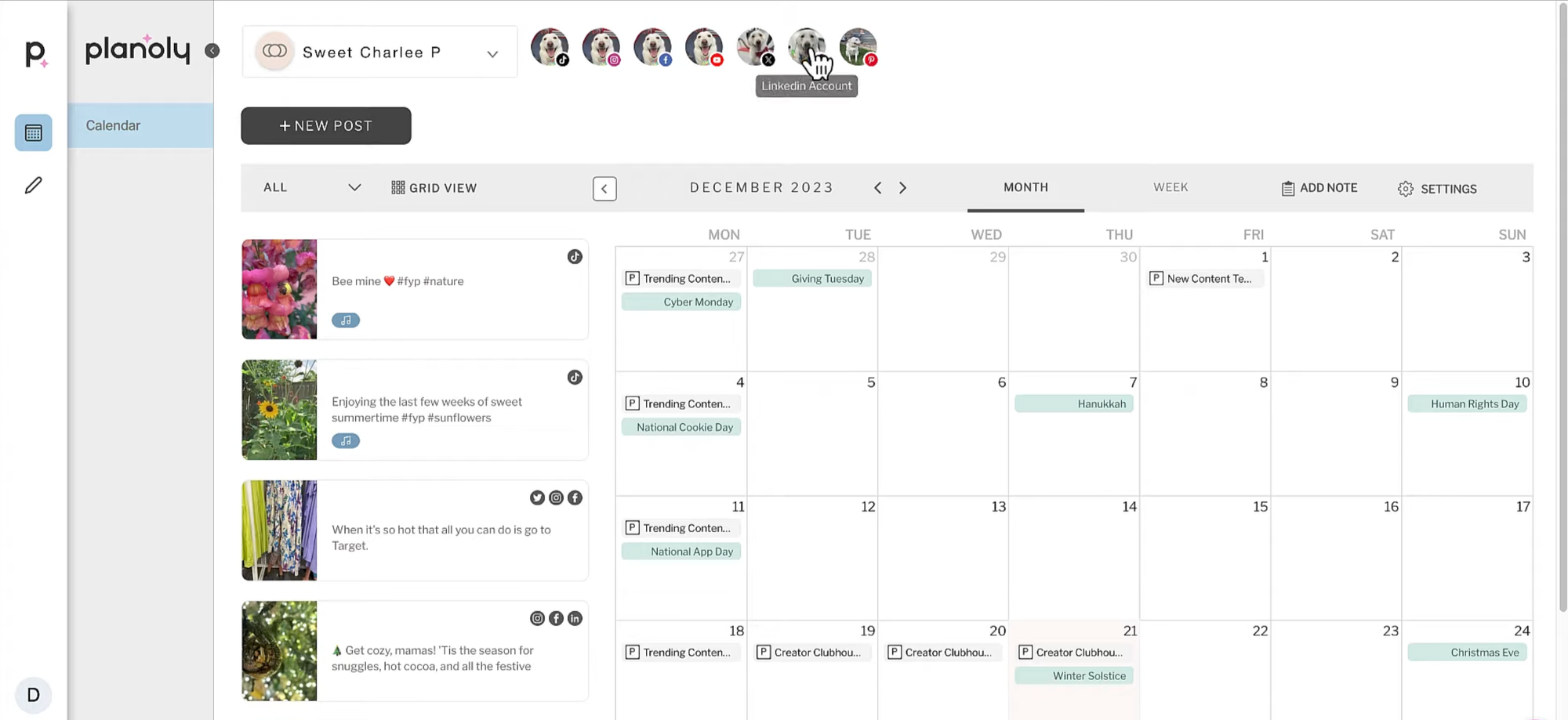
Planoly is another visual-first scheduler that began with Instagram but has developed strong Pinterest integration. It's known for its Pin Planner that helps visualize campaigns.
The platform is particularly popular with lifestyle and fashion bloggers needing pristine content presentation.
Why It's Superior
Campaign Management: Excellent for planning cohesive campaigns across Instagram and Pinterest simultaneously.
Sellit: Tool to create a mini-landing page for products (similar to Linktree but for ecommerce).
Design Editor: Includes built-in StoriesEdit tool that can design vertical pins.
The Trade-Off
Premium tool with monthly subscriptions, unlike PinFlux's occasional lifetime deals.
Pricing
- Starter: Approximately $16/month
Best for: Fashion and lifestyle brands wanting cohesive visuals across platforms.
6. SocialPilot
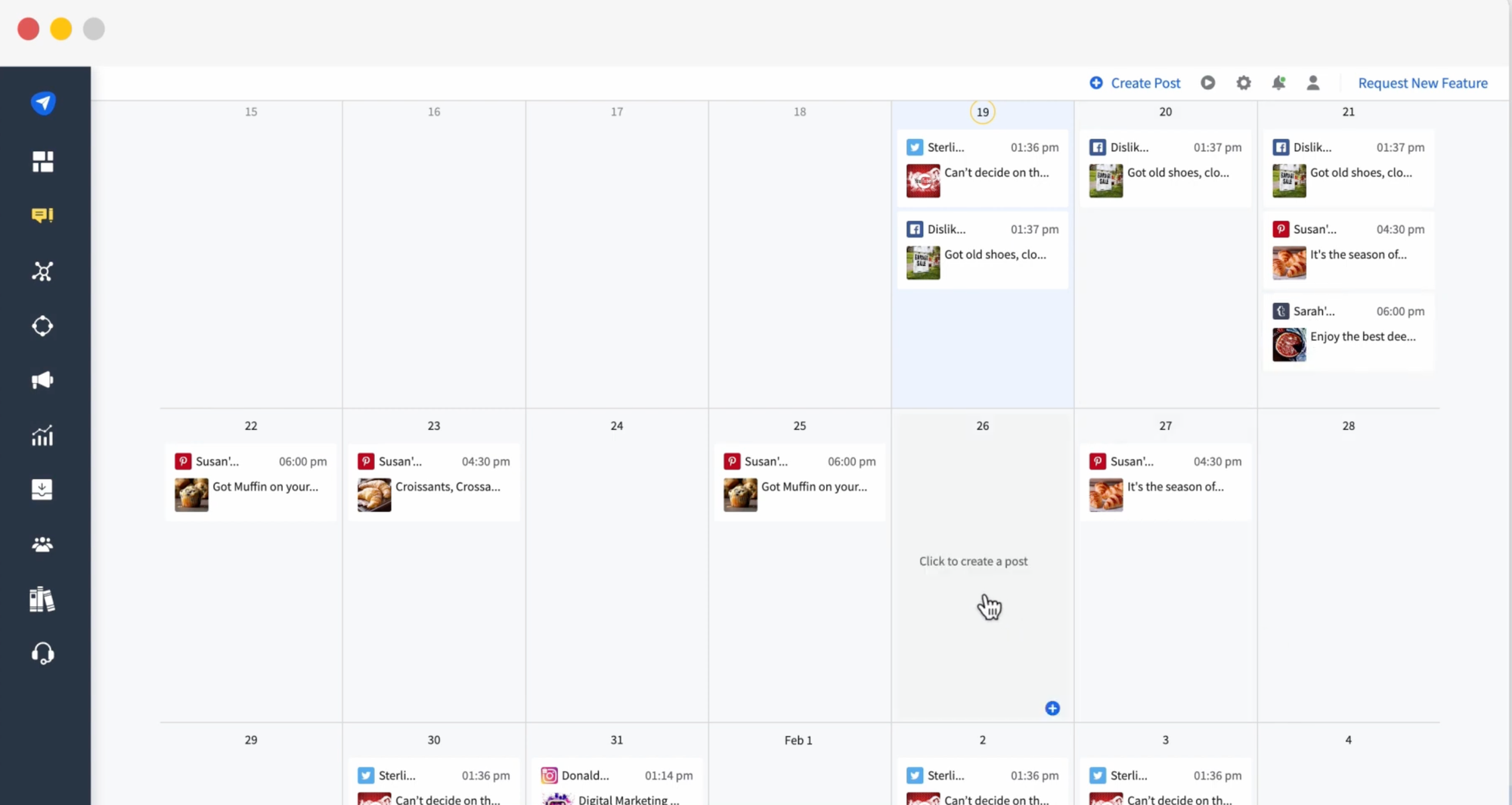
PinFlux is often used by growth hackers managing dozens of accounts because it allows multi-account management. SocialPilot is the legitimate agency alternative for this use case.
It allows managing 10, 20, or 50+ Pinterest accounts from a single dashboard without logging in and out or running desktop software.
Why It's Superior
Volume: Connect dozens of Pinterest accounts for a flat monthly fee.
Team Collaboration: Assign specific boards or accounts to different team members.
Custom Watermarks: Automatically add your logo/watermark to every scheduled image (great for content protection).
The Trade-Off
Strictly a scheduler and analytics tool. Won't auto-follow users for you.
Pricing
- Professional: Approximately $30/month
Best for: Agencies managing multiple Pinterest accounts for clients.
Which PinFlux Alternative Makes Sense?
Switch to Design Instantly for original traffic. It moves you from "repinning others" to "promoting your own products" with auto-generated vertical pins that drive traffic to your store.
Switch to Tailwind for safety and community growth. It offers community features you appreciate in a safe, approved environment without risk of account suspension.
Switch to Later for mobile access and modern interface. It lets you manage your Pinterest strategy from your phone, which PinFlux cannot do.
Switch to Pinterest Native Scheduler for zero budget. It's completely free and provides all the basic scheduling you need without third-party tools.
Switch to Planoly for cross-platform campaigns. It helps you coordinate Pinterest with Instagram for cohesive brand presentation.
Switch to SocialPilot for managing multiple accounts. It's the legitimate way to handle dozens of Pinterest profiles without desktop software.
The core issue with PinFlux isn't that automation is inherently wrong. It's that the specific tactics it uses (mass following, aggressive repinning) are explicitly against Pinterest's terms of service and increasingly detectable by their algorithms.
Pinterest has become sophisticated at identifying and penalizing automation that doesn't add value to the platform. What worked in 2018 gets accounts flagged in 2026. The platform now rewards creators who consistently post original, high-quality content that keeps users on Pinterest, not bots that game the system.
Additionally, even if PinFlux's tactics didn't risk your account, they're fundamentally inefficient for ecommerce. Repinning drives traffic to other people's stores. Creating original pins from your products drives traffic to your store. One builds someone else's business; the other builds yours.
Evaluate what you actually need from Pinterest. If it's traffic to your store, you need Design Instantly. If it's safe community growth, you need Tailwind. If it's mobile management, you need Later. If it's multi-account handling, you need SocialPilot.
Choose based on sustainable growth strategies that won't jeopardize your account, not based on shortcuts that worked years ago but are now liabilities.